Please note: This guide is general information, not legal, tax or technical advice. Internet plans, coverage, campground rules and tax rules change and differ by provider, location and state. Check the current terms with each provider and campground, and talk to a qualified professional about taxes and residency. See our full disclaimer at the end of this article.
We may earn from purchases made through links on this page. As an Amazon Associate, we earn from qualifying purchases.
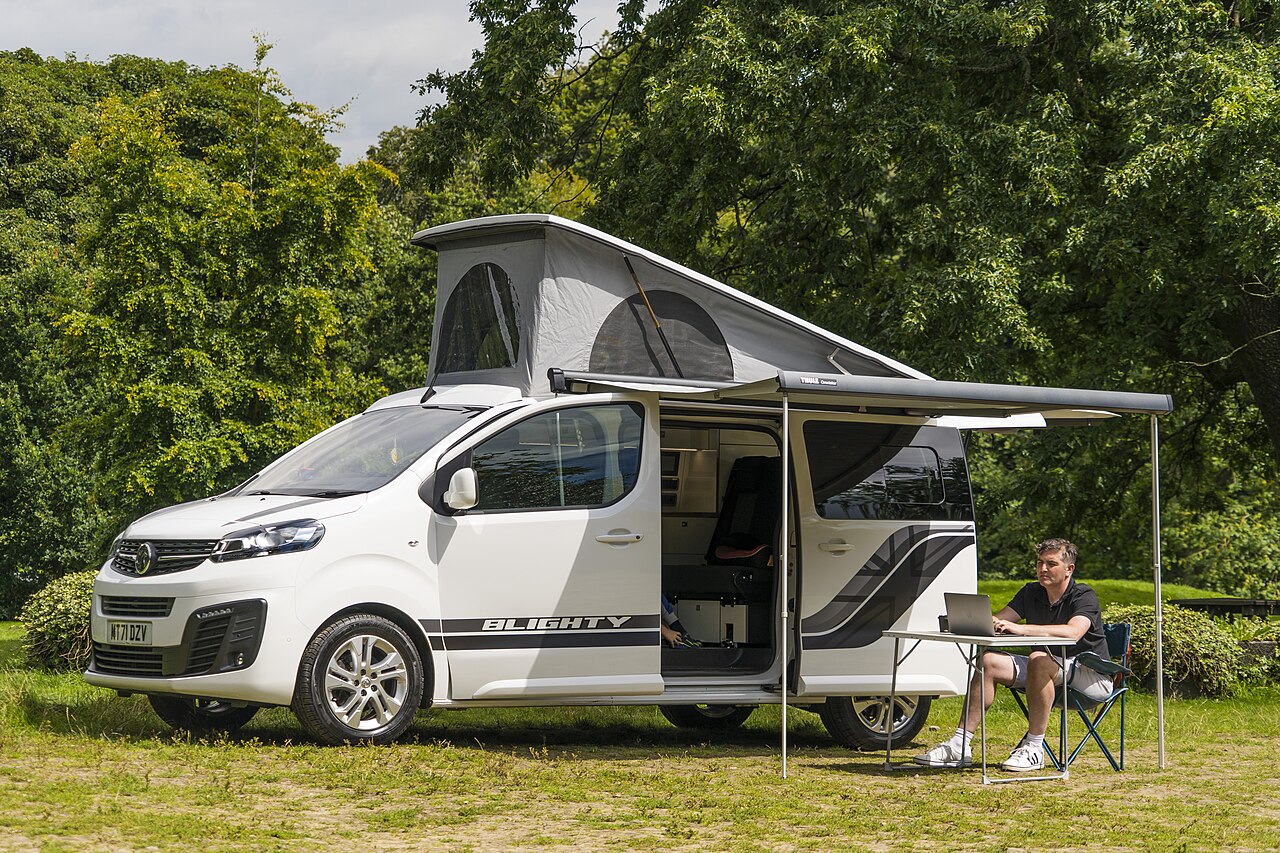
Yes, you can work remotely from a recreational vehicle (RV), and many full-time RVers do. The keys are a reliable internet connection with a backup, enough power to run your laptop and other devices, a comfortable workspace, and campgrounds where you can stay long enough to settle into a routine. This guide walks you through each piece, so you can keep your job and still wake up somewhere new.
Key Takeaways
- Always have two ways to get online, such as a cellular hotspot plus satellite internet, or hotspots on two different carriers.
- Check coverage before you book. Look at your carrier’s coverage map for the exact campground, and ask the campground how good the signal is.
- Plan your power. Campground hookups are easiest. Solar and batteries keep you working when you’re off-grid, and generators must follow campground quiet hours.
- Stay longer in each place. Weekly and monthly stays mean fewer travel days during the work week.
- Sort out your home state, mail and taxes before you hit the road. They affect your employer’s paperwork.
Can You Really Work Full Time From an RV?
If your job can be done online, usually yes. Before you go, check with your employer: some companies limit where remote staff can work, often for tax or security reasons. Also think about your schedule. Video calls, deadlines and travel days all have to fit together, so many working RVers drive on weekends or after work and stay put during busy work days.
Not sure what kind of RV suits a mobile office? Our guide to types of RVs explained compares the space and layout of every class, and our full-time RV living guide covers the bigger picture.
Internet: Your Most Important Tool
Your internet connection decides whether you can work, so plan it like a professional would: one main connection and at least one backup.
Cellular hotspots and routers
Most working RVers use a mobile hotspot or a cellular router with a data plan. A router mounted in the RV can share the connection with all your devices and often gets a better signal than a phone. Read the plan’s fine print: some “unlimited” plans slow your speed after a set amount of data, or limit hotspot use. Having plans on two different carriers is a common way to stay online when one network is weak.
A mobile hotspot is the simplest and cheapest way to start. If you work online full time, a cellular router such as the GL.iNet Spitz AX (GL-X3000) is an upgrade: it’s a 5G router with two SIM card slots, so you can use plans from two carriers. Its Amazon listing says it’s certified with T-Mobile and AT&T, so if you use Verizon, check with Verizon before you buy. Our review of the Winegard Gateway router covers one RV-specific option.
Satellite internet
Satellite internet services, such as Starlink, can work in places where cell service is weak, as long as the dish has a clear view of the sky. Trees, canyons and buildings can block the signal. Plans, prices and rules about using the service while driving change, so check the provider’s current plans before you buy.
Campground Wi-Fi
Treat campground Wi-Fi as a bonus, not your main connection. It’s often shared by many guests and slows down in the evening. Never rely on it for an important video call.
Signal boosters
A cell signal booster can help when you have a weak signal. weBoost is a brand many RVers use, such as this weBoost RV cell signal booster. Buy one that’s approved for use in the United States, and check the Federal Communications Commission (FCC) consumer guidance on signal boosters and your carrier’s rules before you install it.
Check coverage before you book
- Look up the campground’s exact location on your carriers’ coverage maps.
- Call the campground and ask which carriers work well there.
- Read recent reviews that mention cell signal or internet.
- Arrive a day before an important meeting, so you can test your connection.
Power: Keeping Your Laptop Charged
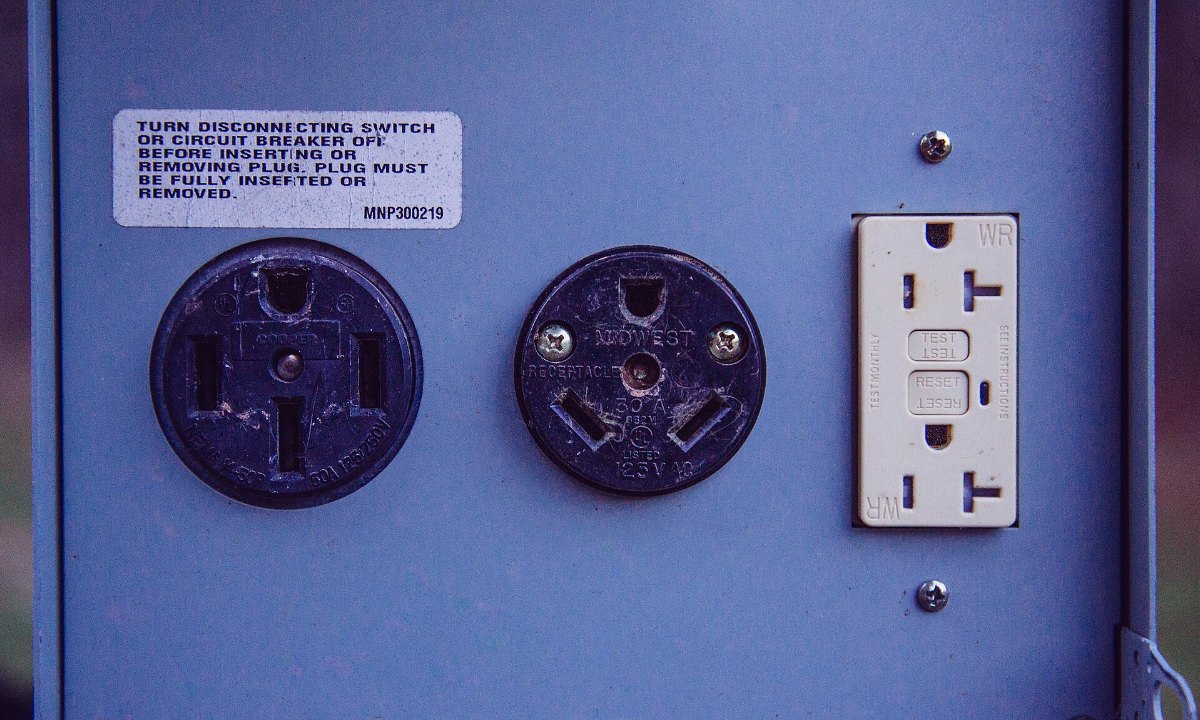
- Campground hookups are the simplest choice. Learn what your RV can run on its power supply in our 30 amp vs 50 amp RV guide, and protect your electronics with a surge protector.
- Solar panels and batteries let you work quietly without hookups. Browse Renogy RV solar kits, or read our guides to Renogy RV solar and Bluetti power systems.
- Generators are a useful backup, but campgrounds and parks usually set generator hours and quiet hours. Check the rules before you plan a work day around one.
- An inverter turns battery power into household power for laptop chargers. Size it for everything you plan to plug in at once. A pure sine wave inverter makes smooth power like a household outlet, which is the safer choice for laptops and other sensitive electronics. For larger setups, a 2,000-watt pure sine wave inverter can run several devices at once.
Safety first: A large inverter draws a lot of current from your batteries (a 2,000-watt inverter can draw about 170 amps at full load). It needs thick cables, a correctly sized fuse and a battery bank big enough to run it. Have a qualified RV technician or electrician install it.
Heading off-grid? Our RV boondocking gear guide lists the essentials.
Set Up a Workspace You Can Use All Day
- A real desk spot. Many RVers turn the dinette into a desk or replace a chair with a small desk. Some prefer an outdoor folding table, such as this GCI Outdoor compact folding table, under the awning on nice days.
- A comfortable chair and a laptop stand, such as this Nulaxy adjustable laptop stand, with a separate keyboard and mouse, so you’re not hunched over all day.
- Noise-cancelling headphones for calls when neighbors, wind or rain get loud.
- A tidy place for cables and chargers. Our RV storage ideas help you keep work gear out of the way.
- Good lighting for video calls, especially in the evening.
Choose Campgrounds That Work for Working
- Stay longer. Weekly and monthly rates are often cheaper per night, and you’ll spend fewer weekdays driving.
- Look for full hookups and reliable cell signal rather than the most scenic site.
- Consider campground chains with consistent amenities. Our KOA camping guide explains what each type of KOA offers, and you can search KOA campgrounds by location.
- Use a campground app. Apps such as AllStays help you find campgrounds along your route and compare their amenities.
- Plan your route around your calendar. An RV-specific planner such as RV LIFE Trip Wizard plans routes using your rig’s size. Our RV trip planning guide and must-have RV apps help you find campgrounds and safe routes.
Time Zones, Schedules and Travel Days
Crossing time zones can move your meetings earlier or later without you noticing. Set your calendar to show your employer’s time zone, and plan big driving days for weekends or after work. Keep a little extra time before important calls in case a road or campsite isn’t what you expected.
Home State, Mail and Taxes
Your employer needs a legal address for payroll and taxes, and your home state (your domicile) affects things like your driver’s license and vehicle registration. Many full-time RVers use a mail forwarding service with an address in their domicile state. Read our guide to getting a reliable address and mail service, and talk to a tax professional about your situation.
Remote Work From an RV Checklist
Before your first working trip, make sure you can tick off every item on this list.
- Your employer has approved it. You have permission, ideally in writing, to work remotely while traveling in your RV.
- You have a backup connection. You have a main internet connection plus at least one backup, such as a plan on a second carrier or satellite internet.
- You’ve checked the coverage. You have looked up cell coverage for each campground before booking it and asked the campground how strong the signal is.
- Your power plan is ready. You know how you’ll keep your devices charged, whether that’s campground hookups, solar panels and batteries, or a generator used within the campground’s rules.
- Your electronics are protected. You plug into every campground power pedestal through a surge protector, ideally one with an EMS (electrical management system) that also guards against low voltage and miswired pedestals.
- Your workspace is comfortable. You have a desk and chair you can use all day, plus headphones for calls.
- Your calendar is in the right time zone. Your calendar shows your employer’s time zone, so a time zone change never makes you miss a meeting.
- Your mail and home state are set up. You have a mail forwarding service and a legal home state (domicile) for your license, taxes and payroll.
- You have roadside assistance. A breakdown won’t cost you work days, because you carry RV roadside assistance such as Good Sam Roadside Assistance. Compare plans in our Good Sam vs AAA guide.
- Your toolbox is packed. You carry the essentials from our RV tools checklist.
Frequently Asked Questions
What is the best internet for working from an RV?
There’s no single best option for every location. Most working RVers combine a cellular hotspot or router with a second connection, such as satellite internet or a plan on a second carrier, so they can stay online when one signal is weak.
Can I work remotely from an RV at a campground?
Yes. Campgrounds with full hookups and good cell coverage are the easiest places to work. Check the signal before you book, and don’t rely on shared campground Wi-Fi for important calls.
Can I work from an RV while camping without hookups?
Yes, if you have enough power and signal. Solar panels and batteries let you work quietly, and a generator can fill the gap within the campground’s or land manager’s rules.
Do I need to tell my employer I’m working from an RV?
Yes, it’s wise to. Some employers limit where remote staff can work for tax, legal or security reasons, and they need a legal address for payroll.
Should I try it before going full time?
Yes. A one- or two-week trip in a rented RV is a cheap way to test your internet, power and routine. See our guide on how to rent an RV.
Related Guides
- Full-time RV living: a beginner’s guide
- RV jobs: ways to earn money on the road
- 30 amp vs 50 amp RV
- Buying your first RV
Acronyms Used in This Article
- AAA: American Automobile Association
- FCC: Federal Communications Commission
- KOA: Kampgrounds of America
- RV: recreational vehicle
- SIM: subscriber identity module (the card that connects a device to a cell network)
- 5G: fifth-generation cellular network
Disclaimer
This article is general information only and is not legal, tax or technical advice. Internet plans, coverage, equipment rules, campground policies and tax rules vary and change over time. Check current terms with each provider, campground and your employer, and talk to qualified professionals about taxes and residency. PreciousRV is not connected to any internet provider mentioned. Some links on this page are affiliate links, and we may earn a commission at no extra cost to you. As an Amazon Associate, we earn from qualifying purchases. Facts checked October 2026.